
- Log into the Client Management Portal (https://smallbusiness.host/clients/clientarea.php).
- Click Services

- Select the Plesk hosting service you wish to manage

- Click Manage Domains to log into the Plesk Control Panel

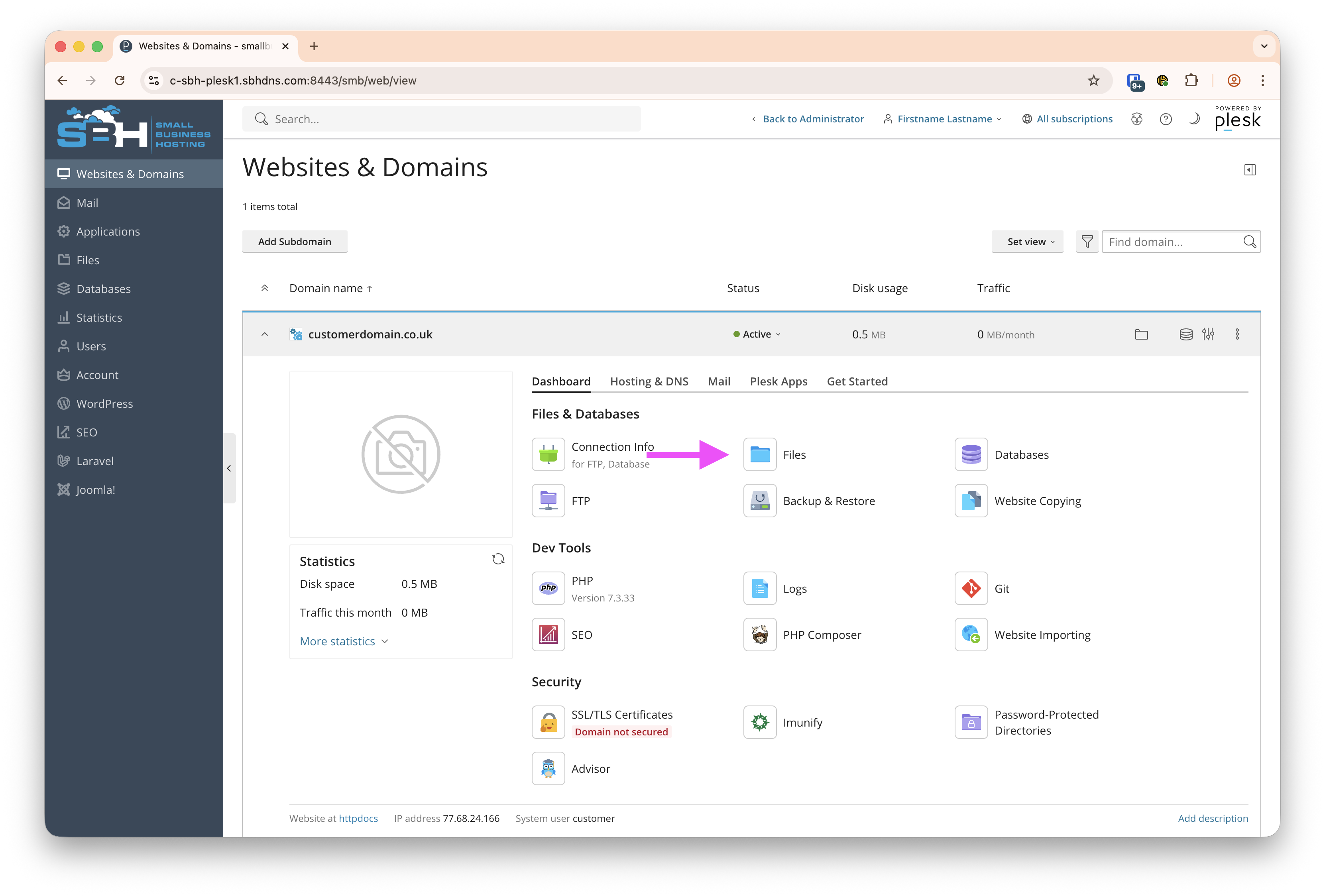
- Click on Files
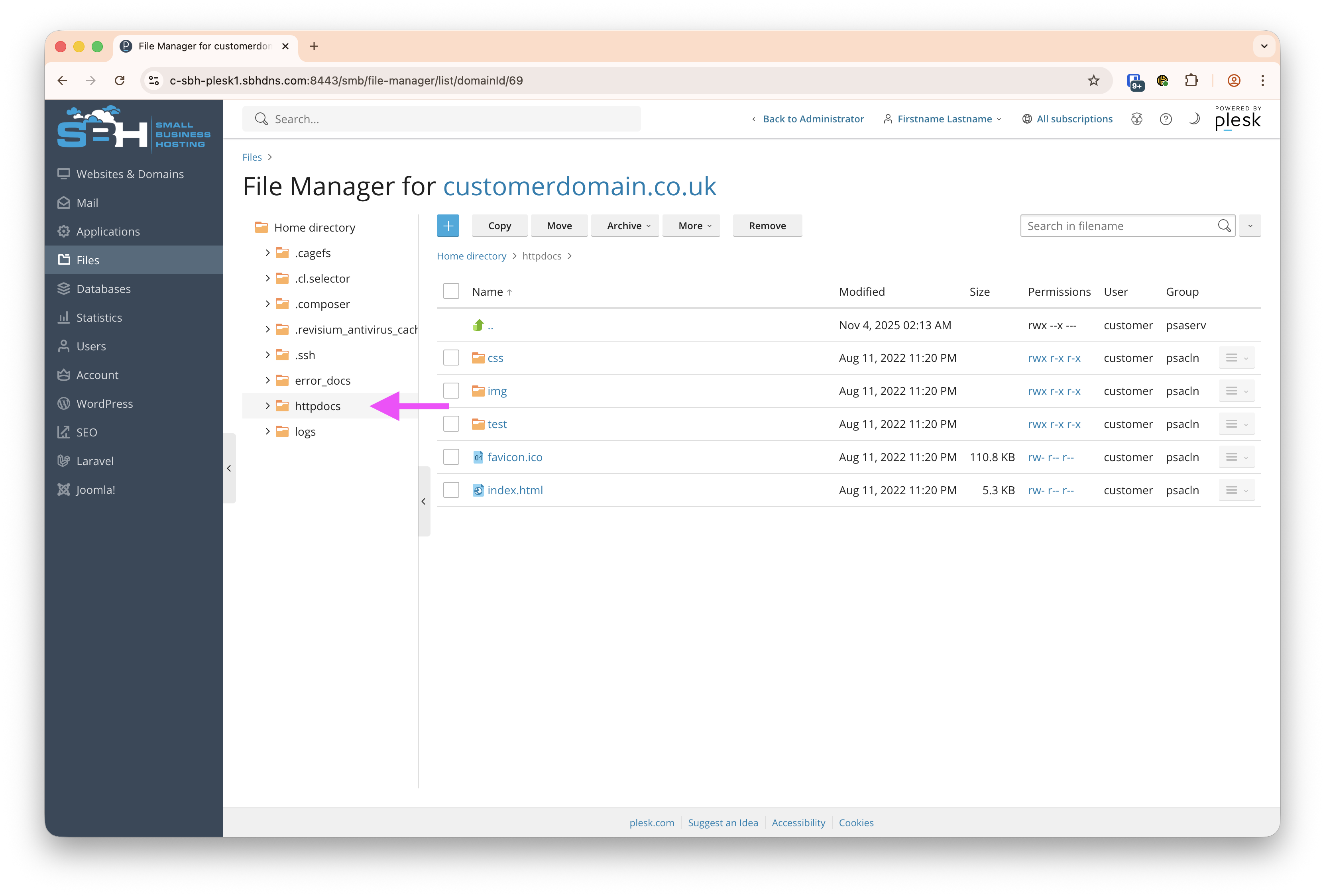
- If not pre-selected, click on the httpdocs folder, this is where your publicly accessible files live.
Optional:
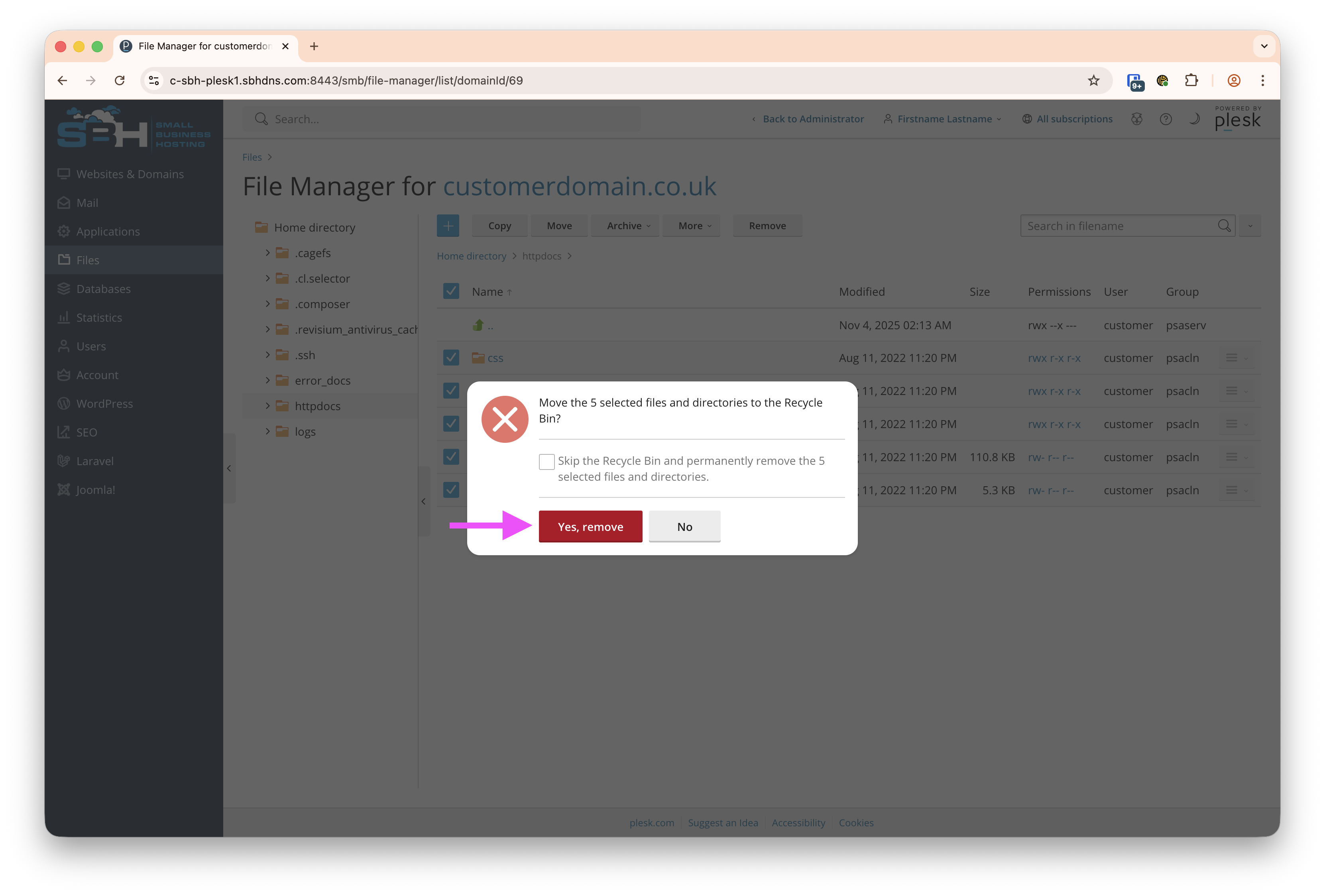
If you need to remove the old files, click the tickbox next to Name and then click Remove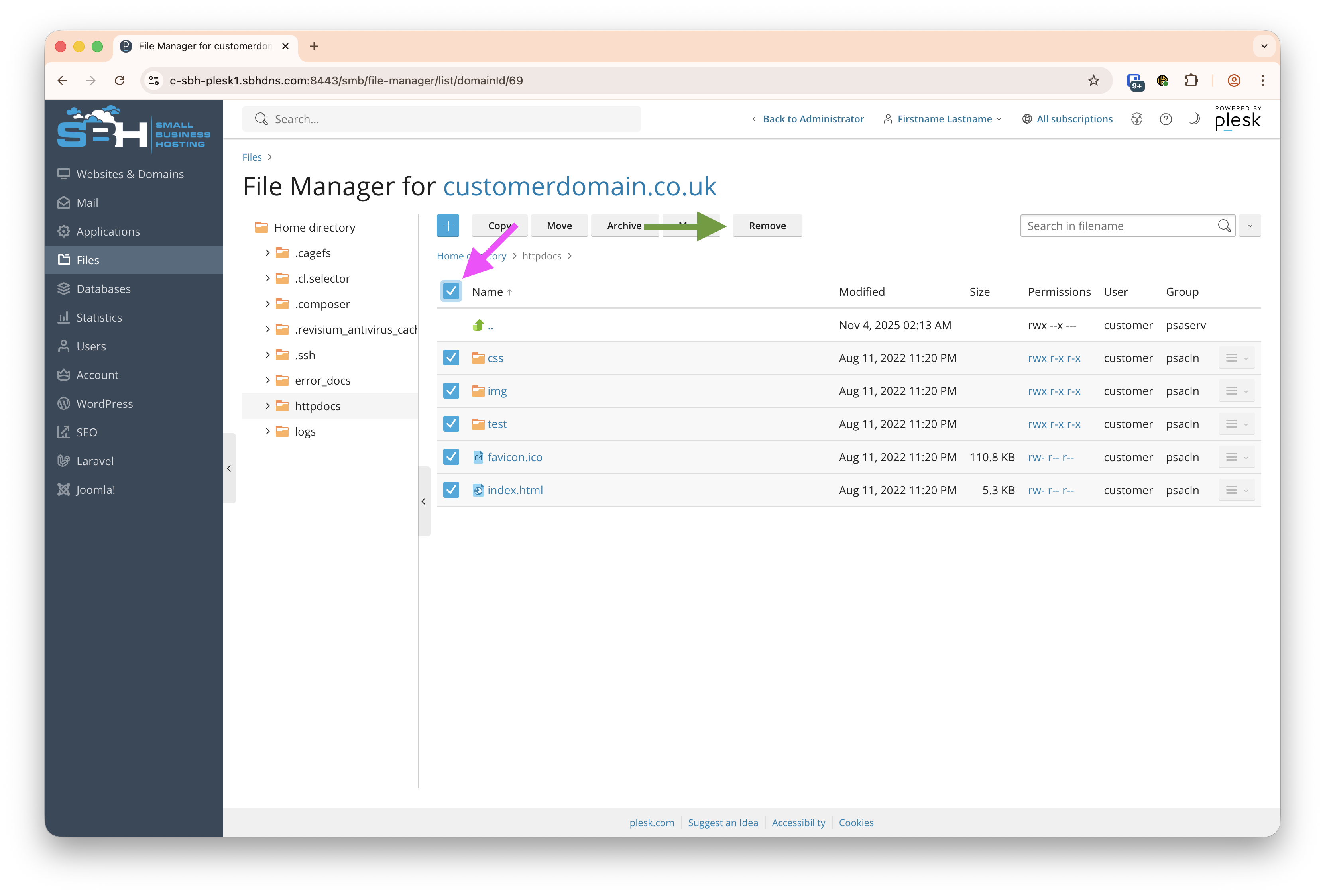
- Now it's time to upload your new files!
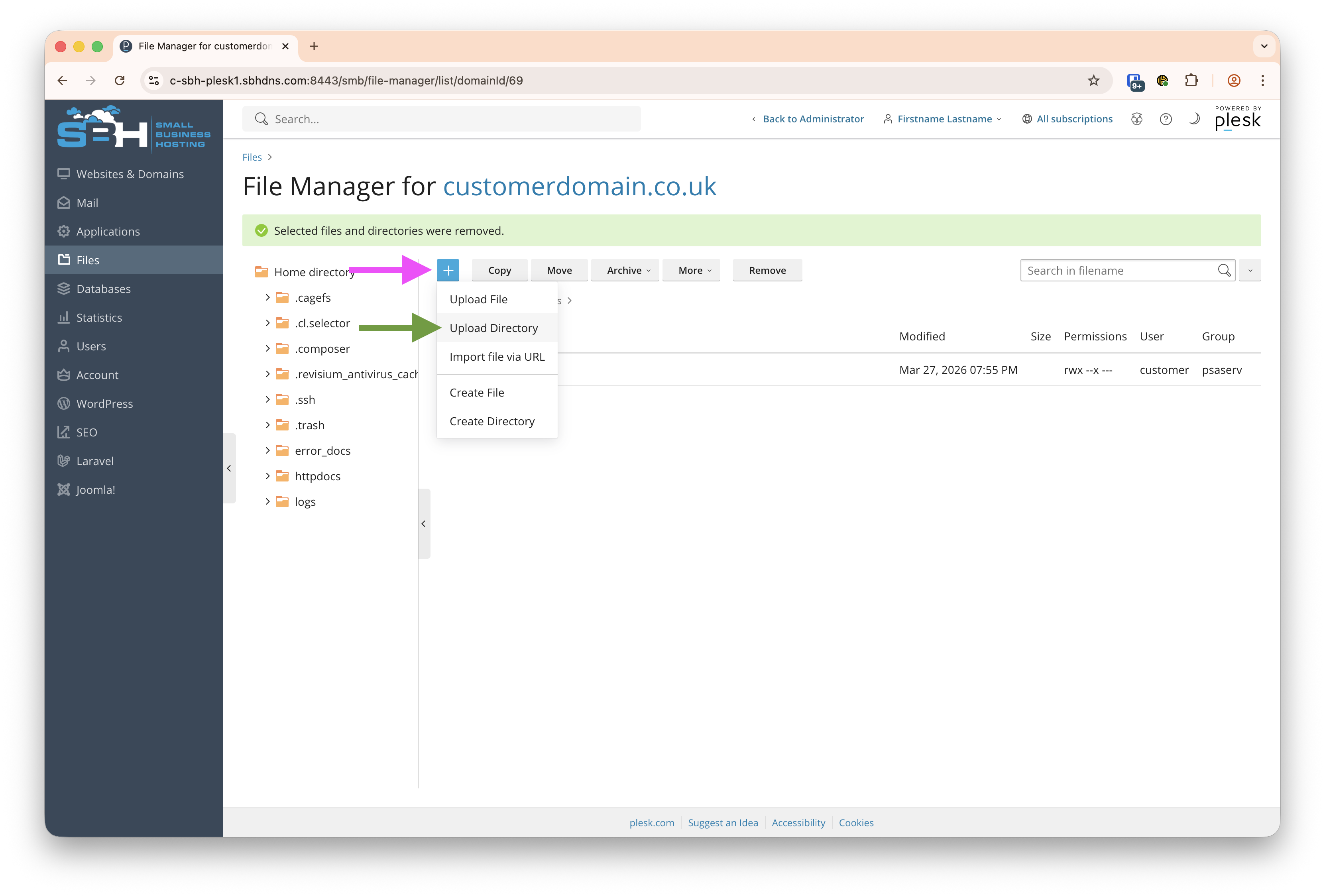
- Click the blue +/plus icon, then Upload Directory, then drag and drop your files
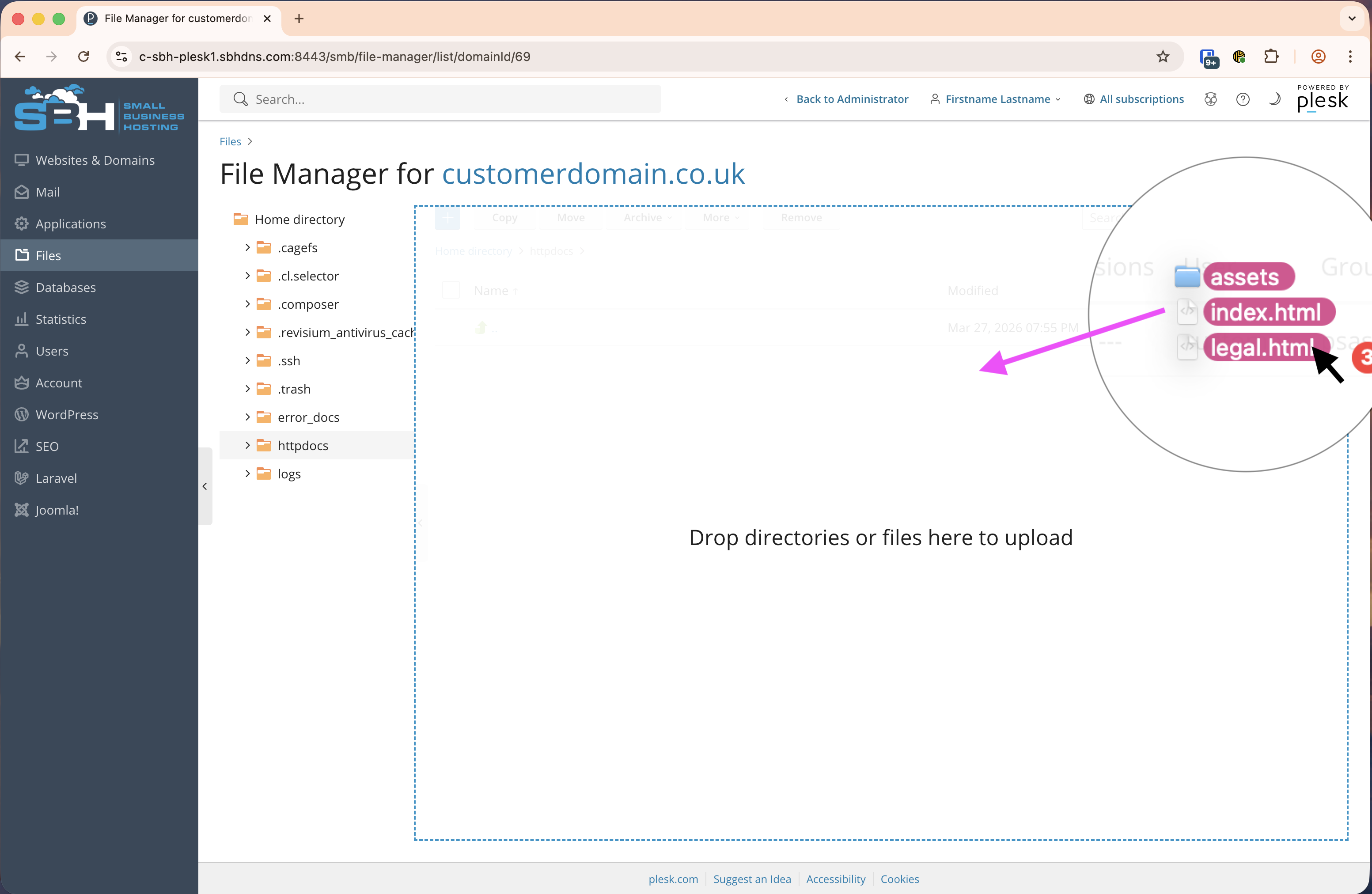
- Select all the files you wish to upload, then drag and drop the files you wish to upload from your computer.
- Click the blue +/plus icon, then Upload Directory, then drag and drop your files
- Done! Your website is now uploaded.
Upload A Website [Plesk Linux]
Was this answer helpful?
